Wedding Budget Planner & Checklist
Know exactly where your wedding money is going, and what is due next.
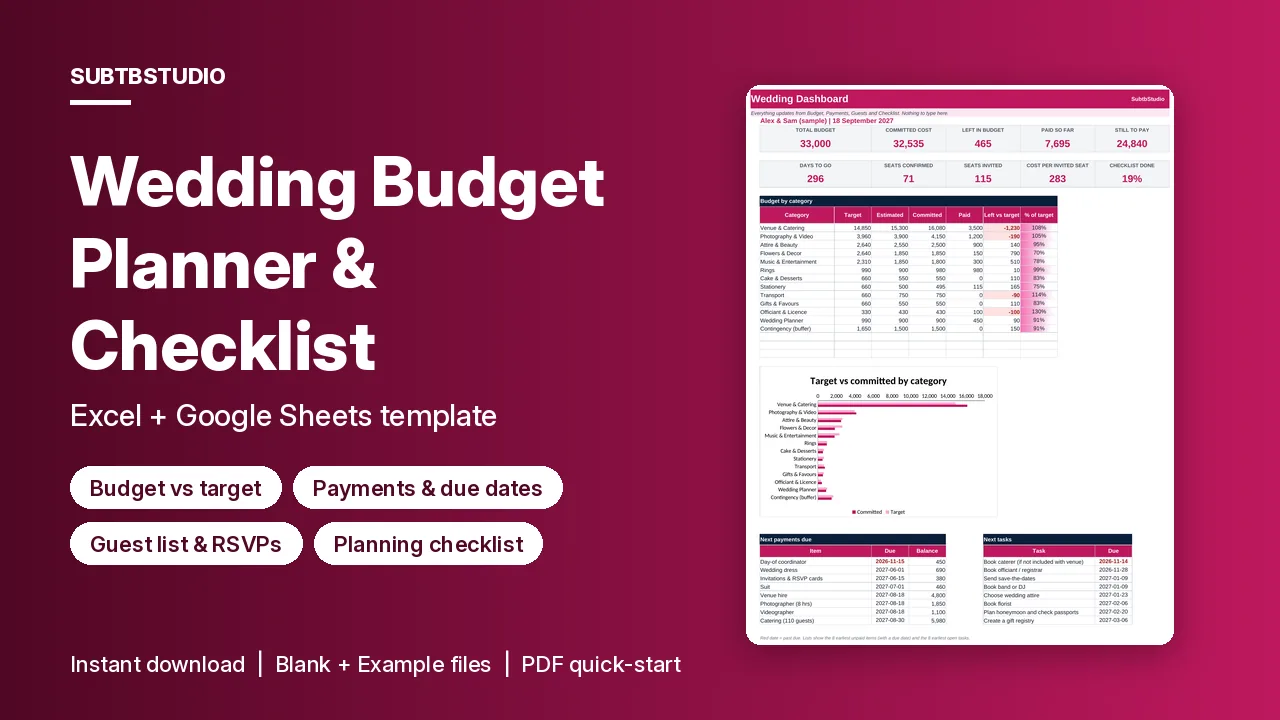
Set your total budget once, add each vendor as you book, and log deposits as you pay. The planner shows what is committed, what is paid, what is still to pay and which category is running over, while a guest list and a dated checklist keep the rest on track.
$8 one-time · instant download
Buy on Gumroad · $8Secure checkout and download by Gumroad. Excel 2016+ · Microsoft 365 · Google Sheets (import) · LibreOffice.
What it does
- Set a total budget and split it by category (a starting split is included: venue and catering, photo and video, attire, flowers, music and more). Change it to match your priorities
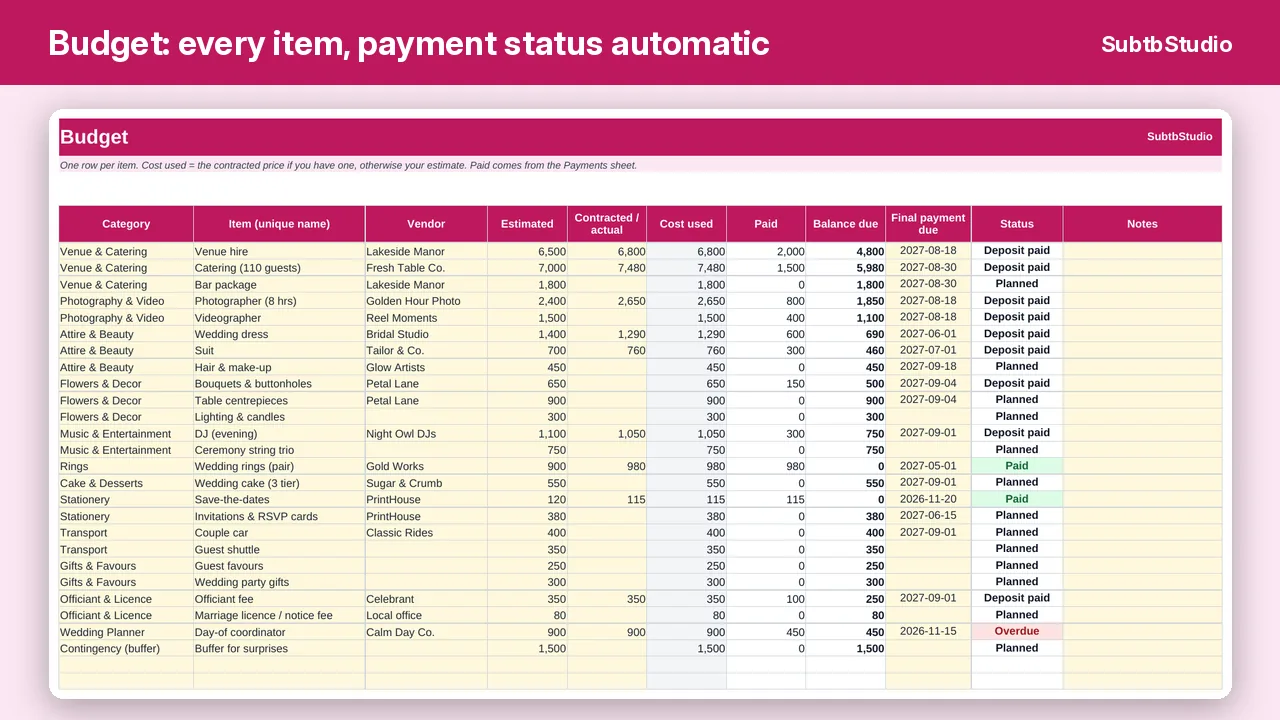
- Add up to 70 budget items: estimate first, then the contracted price once you book. Cost used switches to the real price automatically
- Log up to 200 payments and deposits. Paid, balance due and status fill in by themselves: Paid, Deposit paid, Due soon, Overdue
- Guest list for up to 250 invitations: party size, RSVP (Yes / No / Pending), meal choice and table, with seat and meal totals
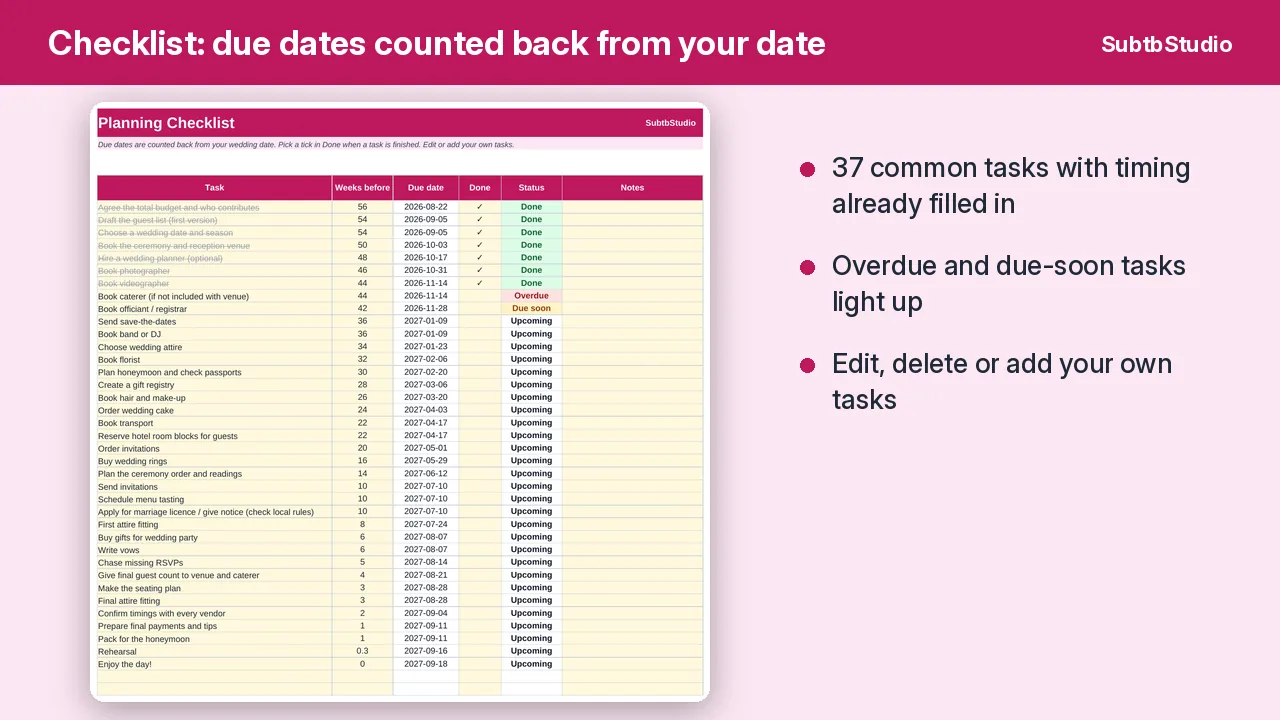
- 37-task planning checklist with due dates counted back from your wedding date. Overdue and due-soon tasks light up
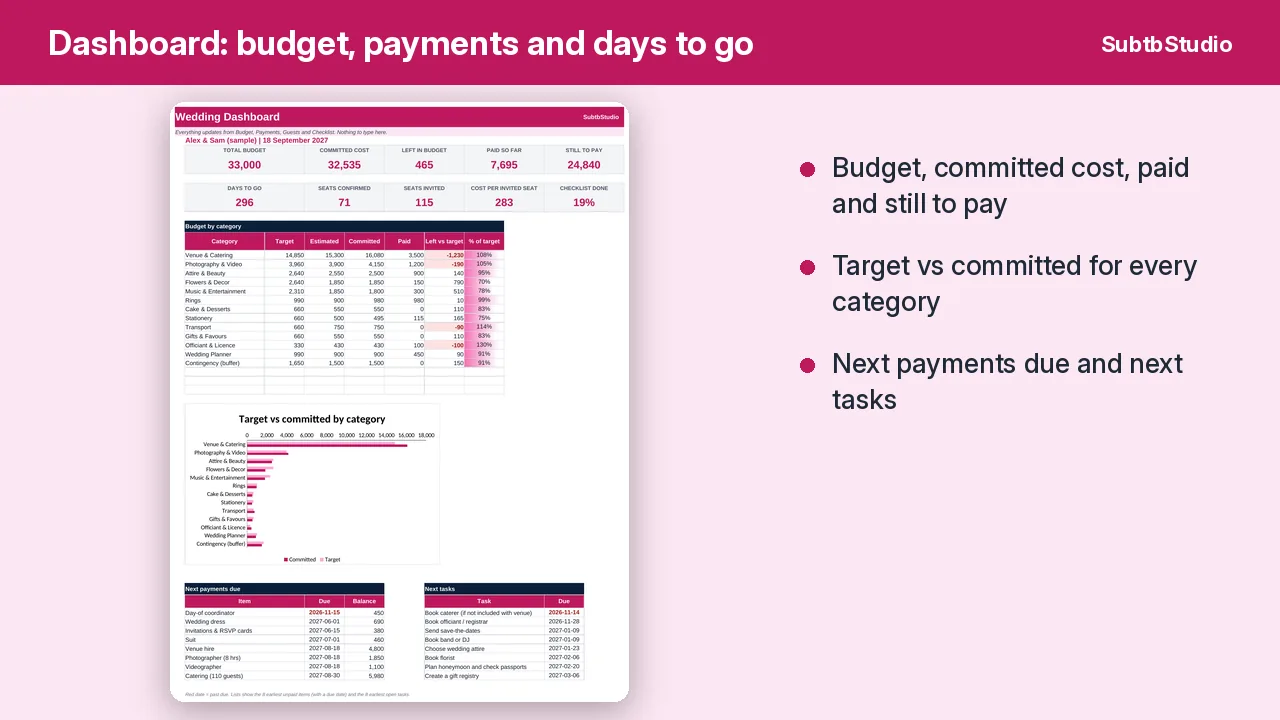
- Dashboard: days to go, committed vs budget, paid vs still to pay, cost per invited seat, target vs committed by category (chart), next payments due and next tasks
Preview (rendered from the real file)
What's included
- BLANK .xlsx for your own wedding (category split and checklist already filled in)
- EXAMPLE .xlsx with a made-up wedding (25 budget items, 12 payments, 64 invitations)
- 1-page Quick-Start Guide (PDF)
- Terms of use
Built to be easy
- Yellow cells are for you; formulas are locked (no password)
- Instructions sheet inside the file
- No macros, no subscription, nothing is sent anywhere
- Currency-neutral
FAQ
Does it work in Google Sheets?
Yes, by import. Upload the .xlsx to Google Drive, open it and choose File > Save as Google Sheets. Formulas, drop-downs, colours and charts carry over. Sheet protection and in-cell data bars are Excel-only.
Which Excel version do I need?
Excel 2016 or newer on Windows or Mac, or Microsoft 365. It also opens in LibreOffice. There are no macros.
Which currency does it use?
None. There are no currency symbols, so it works with dollars, euros, lira or anything else.
Can I change the category split?
Yes. The starting percentages on the Settings sheet are only a suggestion. Change them so they add up to 100%. See our guide: Wedding budget breakdown by category.
Do the checklist due dates update if I change the wedding date?
Yes. Each task has a 'weeks before' timing, and the due date is counted back from the wedding date on the Settings sheet.
Can I get a refund?
Refund requests are handled through Gumroad. Because this is an instant digital download, please read the preview images and this page before buying.
Ready to start?
Buy on Gumroad · $8Related guides
AI disclosure: this template was designed and built with the help of AI tools, then checked with automated recalculation tests. It is an organising tool, not financial, tax or legal advice.