Meal Planner & Grocery List
Plan the week in five minutes. The shopping list writes itself.
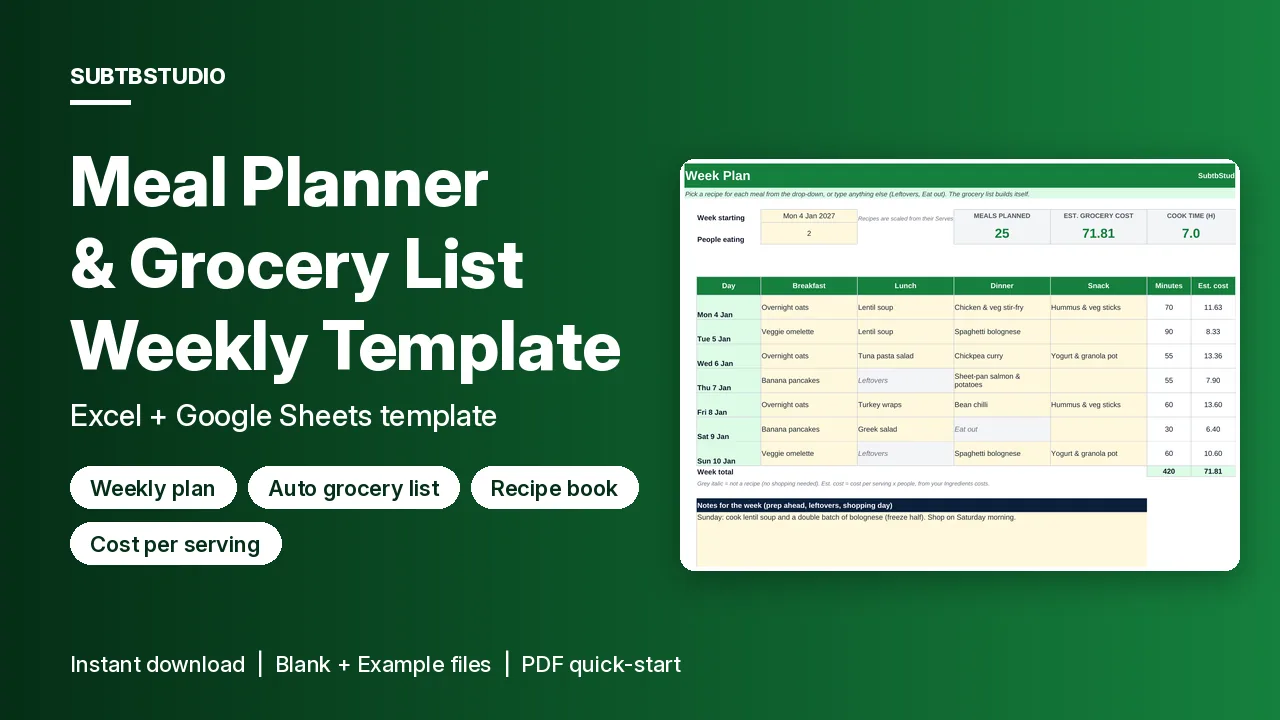
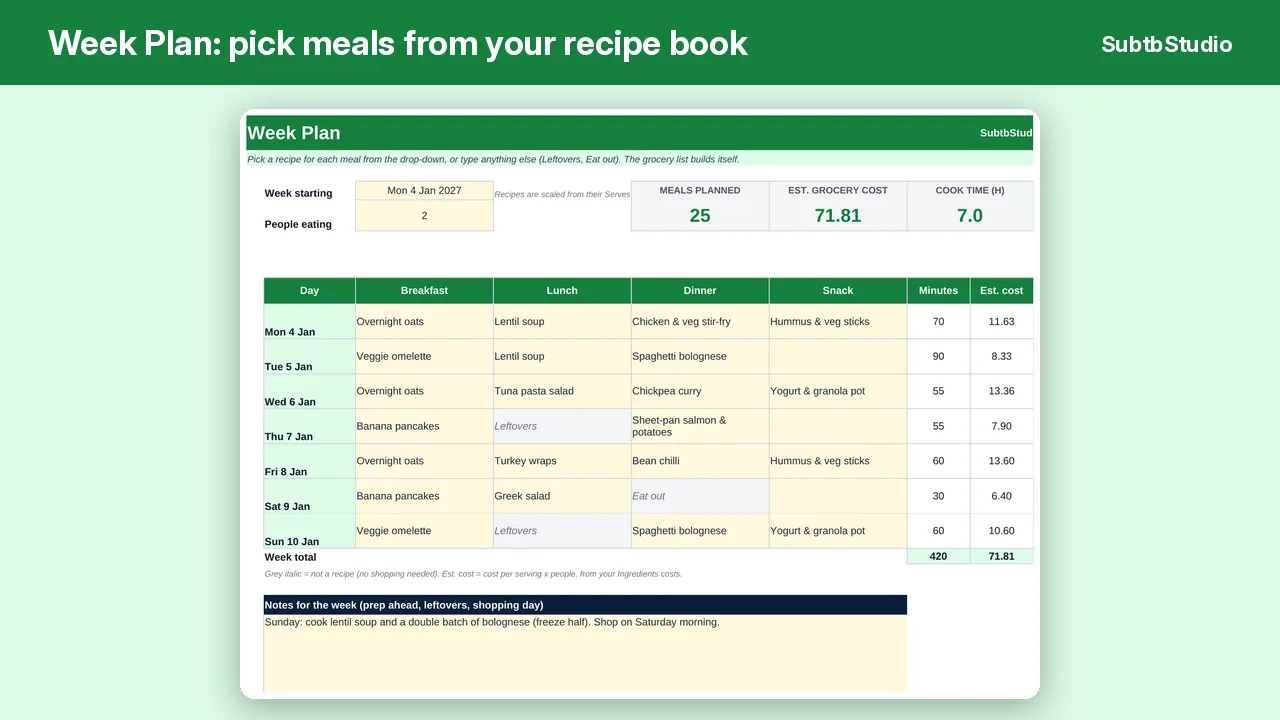
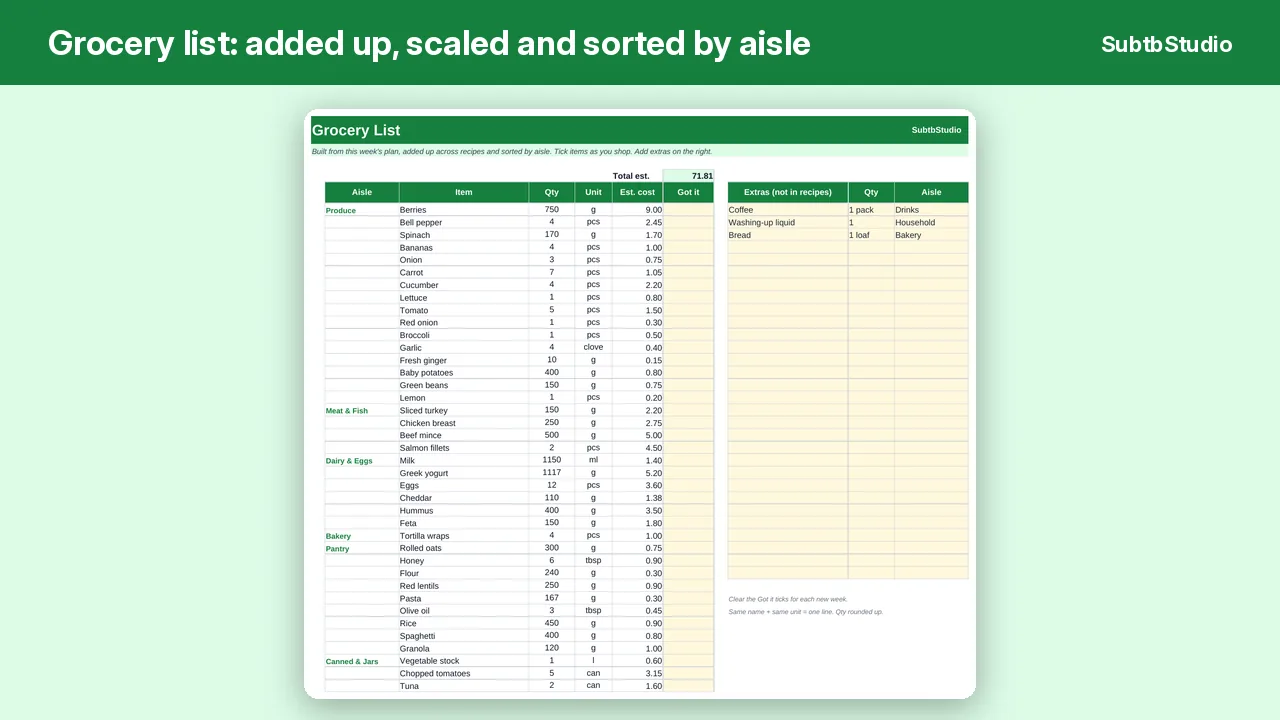
Pick a recipe for each meal from a drop-down. Every ingredient is added up across the week, scaled to the number of people eating, rounded up to what you actually buy and sorted by aisle.
$5 one-time · instant download
Buy on Gumroad · $5Secure checkout and download by Gumroad. Excel 2016+ · Microsoft 365 · Google Sheets (import) · LibreOffice.
What it does
- Weekly plan: 7 days × breakfast, lunch, dinner and snack, or type Leftovers / Eat out
- Automatic grocery list (up to 150 items): duplicates merged, scaled to your household, sorted in your shop's aisle order, with tick boxes and an extras list
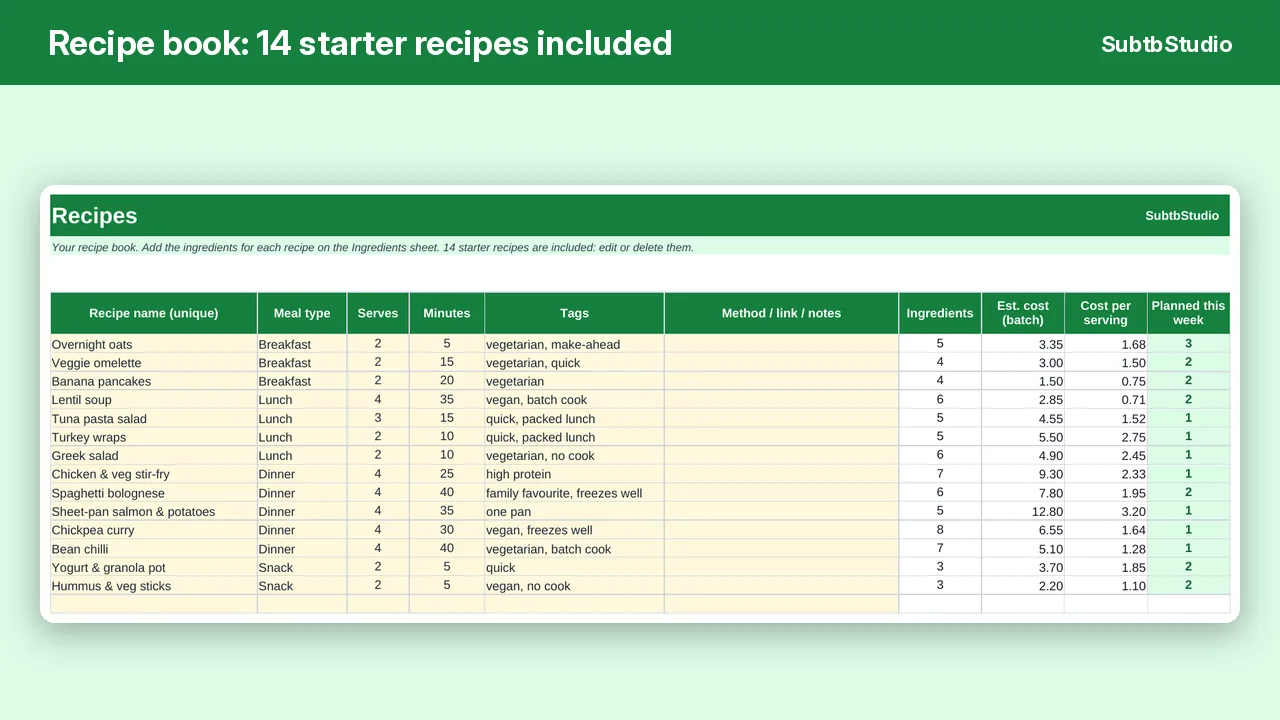
- Recipe book for up to 100 recipes and 1,000 ingredient lines, with serves, minutes, tags and notes
- Optional costs: batch cost, cost per serving, cost per day and estimated grocery total
- Cooking time per day and for the week
- 14 starter recipes included (breakfasts, lunches, dinners, snacks) to get going straight away
Preview (rendered from the real file)
What's included
- BLANK .xlsx: empty week plan with the 14 starter recipes (keep, edit or delete them)
- EXAMPLE .xlsx: a planned week for 2 people and its finished grocery list
- 1-page Quick-Start Guide (PDF)
- Terms of use
Built to be easy
- Yellow cells are for you; formulas are locked (no password)
- Instructions sheet inside the file
- No macros, no subscription, nothing is sent anywhere
- Currency-neutral
FAQ
Does it work in Google Sheets?
Yes, by import. Upload the .xlsx to Google Drive, open it and choose File > Save as Google Sheets. Formulas, drop-downs and colours carry over. Sheet protection is Excel-only.
How does the grocery list add things up?
Quantity needed = ingredient qty × times the recipe is planned × (people eating ÷ recipe serves). Rows with the same name and unit are merged, then quantities are rounded up. See How a weekly meal plan becomes a grocery list.
Can I type Leftovers or Eat out?
Yes. Anything that is not a recipe name is ignored by the grocery list, so no shopping is added for those meals.
Is this nutrition advice?
No. It is a planning tool, not nutrition or medical advice. Check labels for allergens. Starter recipe costs are rough examples; replace them with your local prices.
Which Excel version do I need?
Excel 2016 or newer on Windows or Mac, or Microsoft 365. No macros.
Can I get a refund?
Refund requests are handled through Gumroad. Because this is an instant digital download, please check the preview images before buying.
Ready to start?
Buy on Gumroad · $5Related guides
AI disclosure: this template was designed and built with the help of AI tools, then checked with automated recalculation tests. It is an organising tool, not financial, tax or legal advice.