Freelancer Invoice & Income Tracker
Know who owes you, what you earned, and what to set aside for taxes.
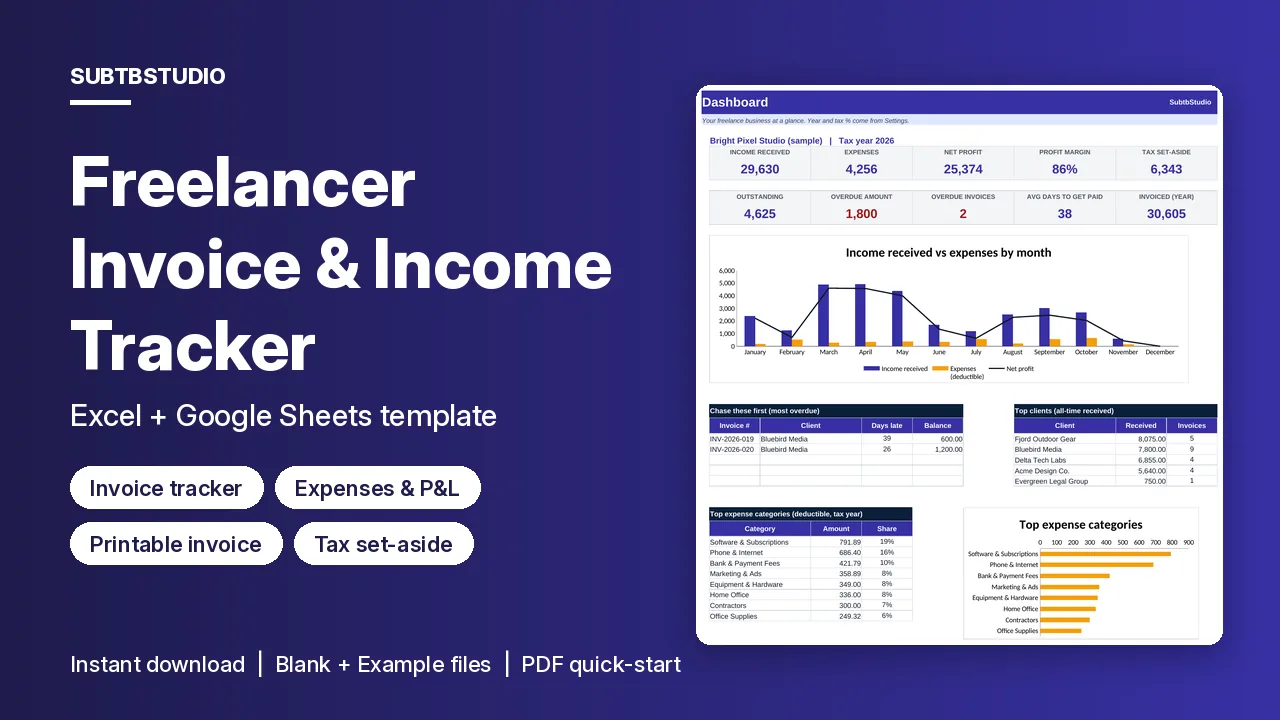
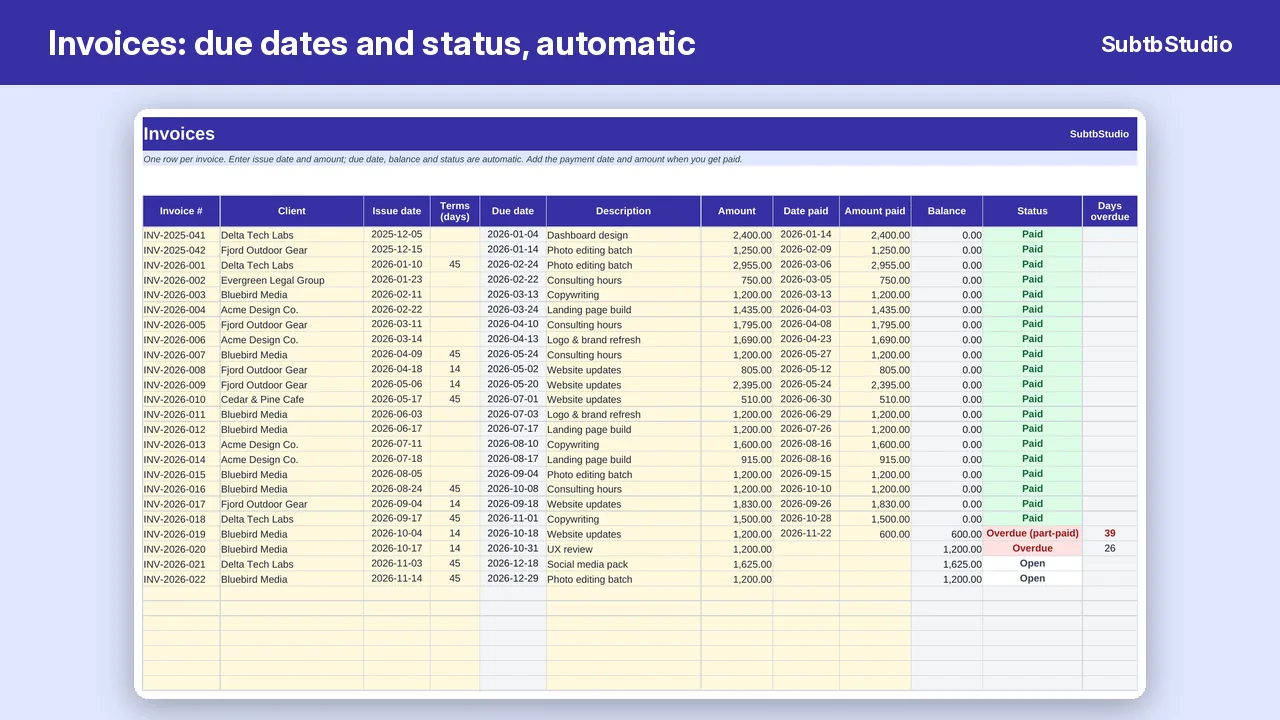
A simple bookkeeping system for freelancers, consultants, creators and side hustlers. Enter an invoice once and the workbook works out the due date, balance, status and days overdue. Log your costs, and the monthly profit and loss, tax set-aside and dashboard update by themselves.
$12 one-time · instant download
Buy on Gumroad · $12Secure checkout and download by Gumroad. Excel 2016+ · Microsoft 365 · Google Sheets (import) · LibreOffice.
What it does
- Up to 300 invoices: Open, Part-paid, Overdue or Paid, colour-coded, with days overdue
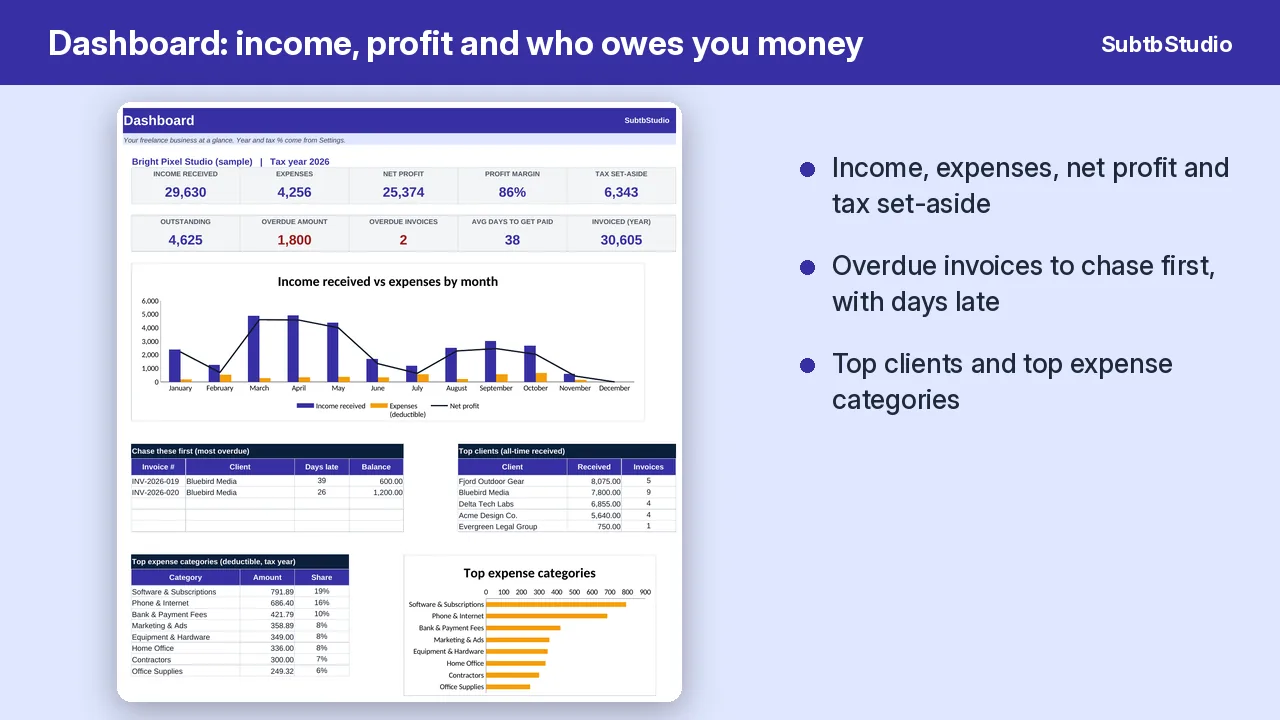
- Dashboard: income received, expenses, net profit, margin, outstanding and overdue amounts, average days to get paid
- A 'chase these first' list of your most overdue invoices
- Up to 500 expenses with categories and a business-use % for mixed costs
- Monthly profit and loss (cash basis), cumulative profit and a tax set-aside estimate using your own %
- Client book with invoiced, received and outstanding totals
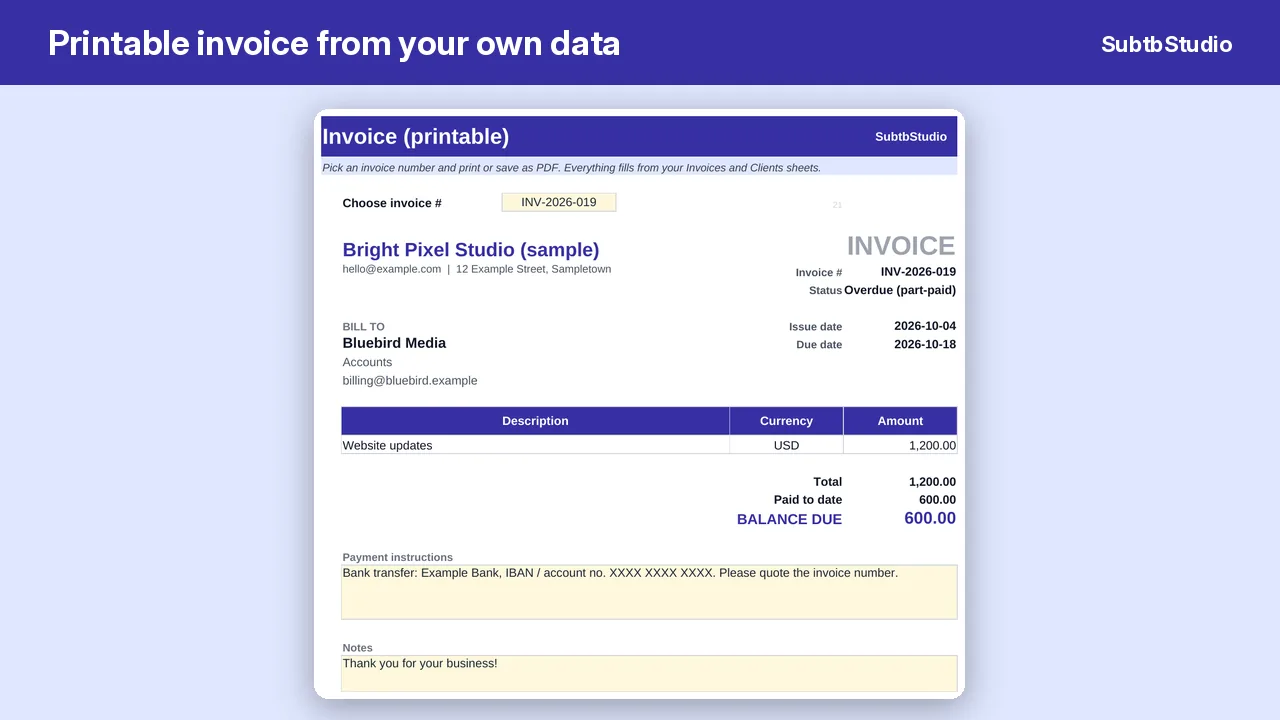
- Printable invoice: pick an invoice number, print or save as PDF
Preview (rendered from the real file)
What's included
- BLANK .xlsx for your own business
- EXAMPLE .xlsx with made-up clients, invoices and expenses
- 1-page Quick-Start Guide (PDF)
- Terms of use
Built to be easy
- Yellow cells are for you; formulas are locked (no password)
- Instructions sheet inside the file
- No macros, no subscription, nothing is sent anywhere
- Currency-neutral
FAQ
Does it work in Google Sheets?
Yes, by import. Upload the .xlsx to Google Drive, open it and choose File > Save as Google Sheets. Formulas, drop-downs and charts carry over. Sheet protection is Excel-only.
Is it accounting software?
No. It is a spreadsheet for keeping track of invoices, payments and costs on a cash basis. It does not file taxes or replace an accountant.
How is the tax set-aside worked out?
Net profit x a percentage you choose. It is a savings aid, not a tax calculation, because rules differ by country. Ask a local tax professional what percentage makes sense for you.
Can I use my own currency and business name?
Yes. Enter your business name and a currency label on the Settings sheet; the printable invoice uses them.
Which Excel version do I need?
Excel 2016 or newer on Windows or Mac, or Microsoft 365. No macros.
Can I get a refund?
Refund requests are handled through Gumroad. Because this is an instant digital download, please check the preview images before buying.
Ready to start?
Buy on Gumroad · $12Related guides
AI disclosure: this template was designed and built with the help of AI tools, then checked with automated recalculation tests. It is an organising tool, not financial, tax or legal advice.