Budget Planner & Debt Payoff Tracker
See where your money goes, and the exact month you'll be debt-free.
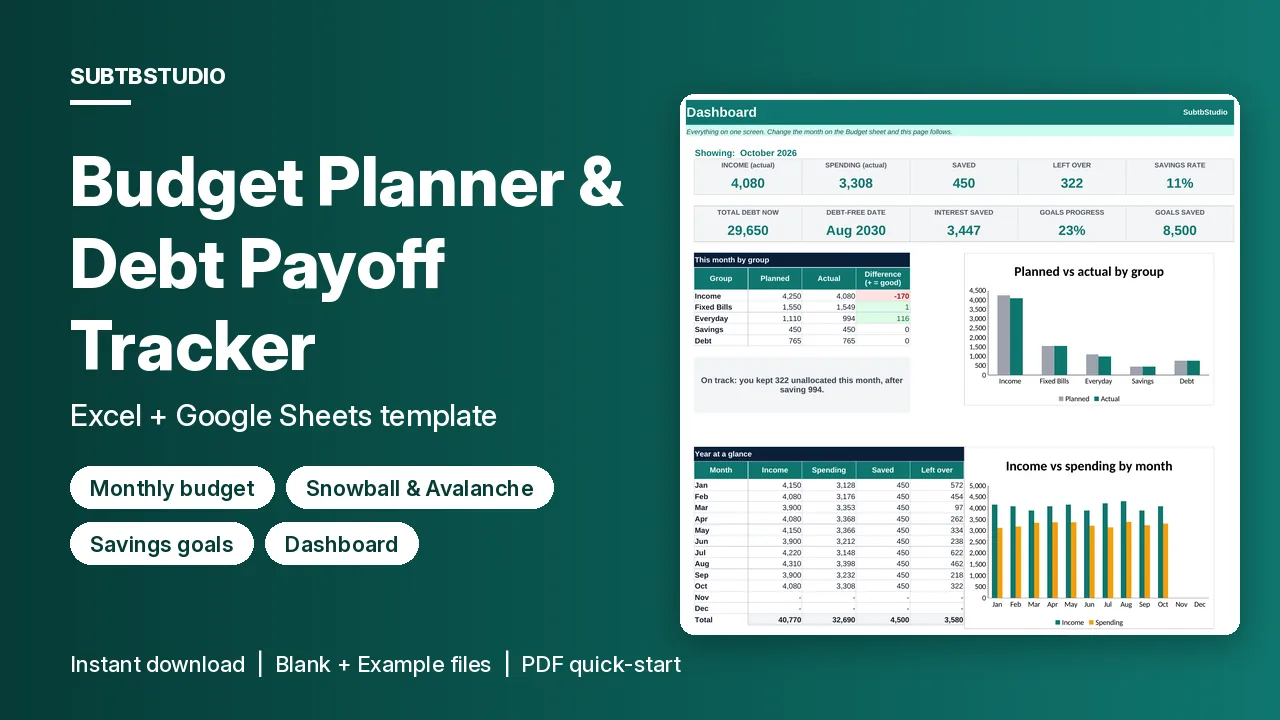
One workbook for your monthly budget, your spending, your debts and your savings goals. Type your numbers once and the sheets do the maths: planned vs actual for every category, a debt payoff plan using the Snowball or Avalanche method, your debt-free date and the interest you save compared with paying only the minimums.
$9 one-time · instant download
Buy on Gumroad · $9Secure checkout and download by Gumroad. Excel 2016+ · Microsoft 365 · Google Sheets (import) · LibreOffice.
What it does
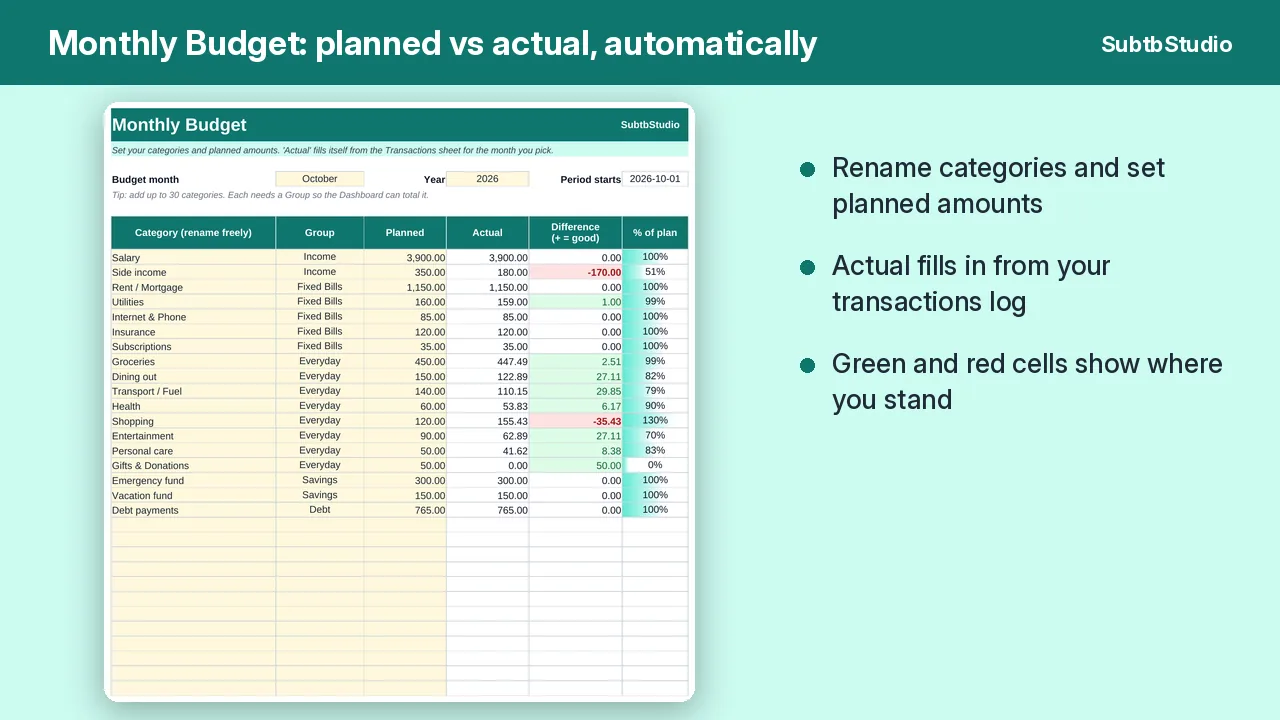
- Monthly budget with planned vs actual for every category (rename them to fit your life)
- Transaction log with 600 rows and a category drop-down
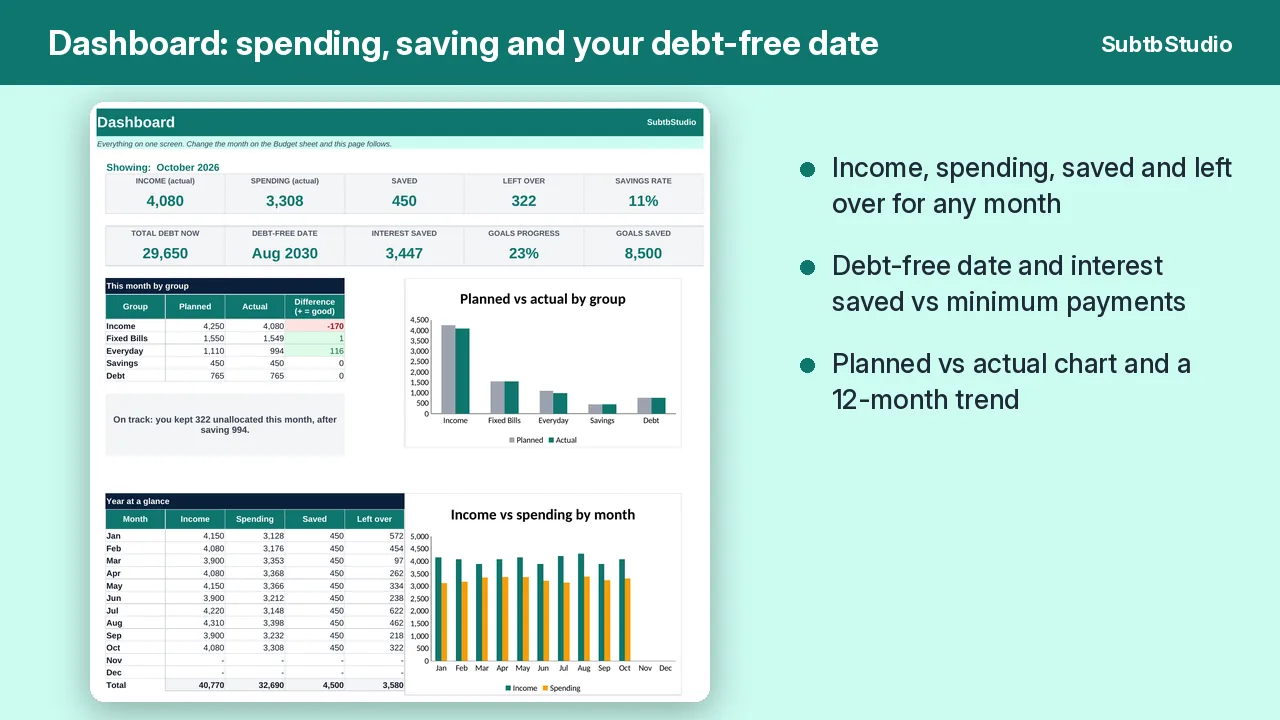
- Pick any month and year: the dashboard follows
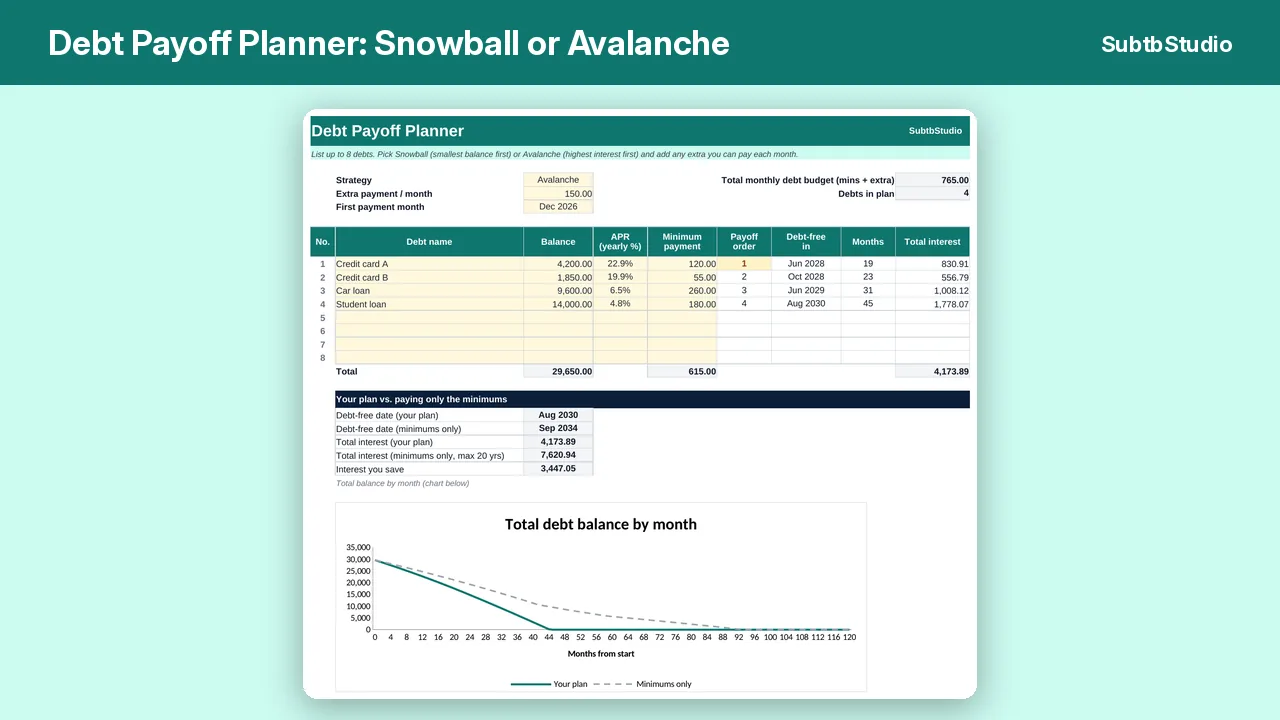
- Debt payoff planner for up to 8 debts: Snowball (smallest balance first) or Avalanche (highest rate first), plus an extra monthly payment
- Debt-free date, total interest and interest saved vs minimum-only payments, with a chart
- Up to 10 savings goals with progress bars and how much to set aside each month
- 12-month income vs spending trend chart
Preview (rendered from the real file)
What's included
- BLANK .xlsx for your own numbers
- EXAMPLE .xlsx with made-up data (10 months of transactions, 4 debts, 4 goals)
- 1-page Quick-Start Guide (PDF)
- Terms of use
Built to be easy
- Yellow cells are for you; formulas are locked (no password)
- Instructions sheet inside the file
- No macros, no subscription, nothing is sent anywhere
- Currency-neutral
FAQ
Does it work in Google Sheets?
Yes, by import. Upload the .xlsx to Google Drive, open it and choose File > Save as Google Sheets. Formulas, drop-downs, colours and charts carry over. Sheet protection and in-cell data bars are Excel-only.
Which Excel version do I need?
Excel 2016 or newer on Windows or Mac, or Microsoft 365. It also opens in LibreOffice. There are no macros.
Which currency does it use?
None. There are no currency symbols, so it works with dollars, euros, lira or anything else.
Snowball or Avalanche: which should I pick?
Avalanche (highest interest rate first) usually costs less interest. Snowball (smallest balance first) gives quicker wins. The planner lets you switch and compare. See our guide: Debt snowball vs avalanche.
Is the interest calculation exact?
It is an estimate: monthly interest = balance x APR / 12. Real lenders may compound daily or charge fees, so treat the dates as a close guide, not a quote.
Can I get a refund?
Refund requests are handled through Gumroad. Because this is an instant digital download, please read the preview images and this page before buying.
Ready to start?
Buy on Gumroad · $9Related guides
AI disclosure: this template was designed and built with the help of AI tools, then checked with automated recalculation tests. It is an organising tool, not financial, tax or legal advice.